
How to Fill and Sign a PDF Form from Your Browser
Many administrative and corporate PDF forms embed interactive fields enabling you to type text, check boxes, and select dropdown options prior to affixing an ink signature. Learn how to complete fillable AcroForms and clearly differentiate visual marks from PKI certificates.
BreadPDF allows drawing or uploading visual handwritten signatures and graphic stamps. It is not a qualified PKI / X.509 cryptographic platform, nor does it replace government signing gateways like AutoFirma. Check requirements of receiving agencies.
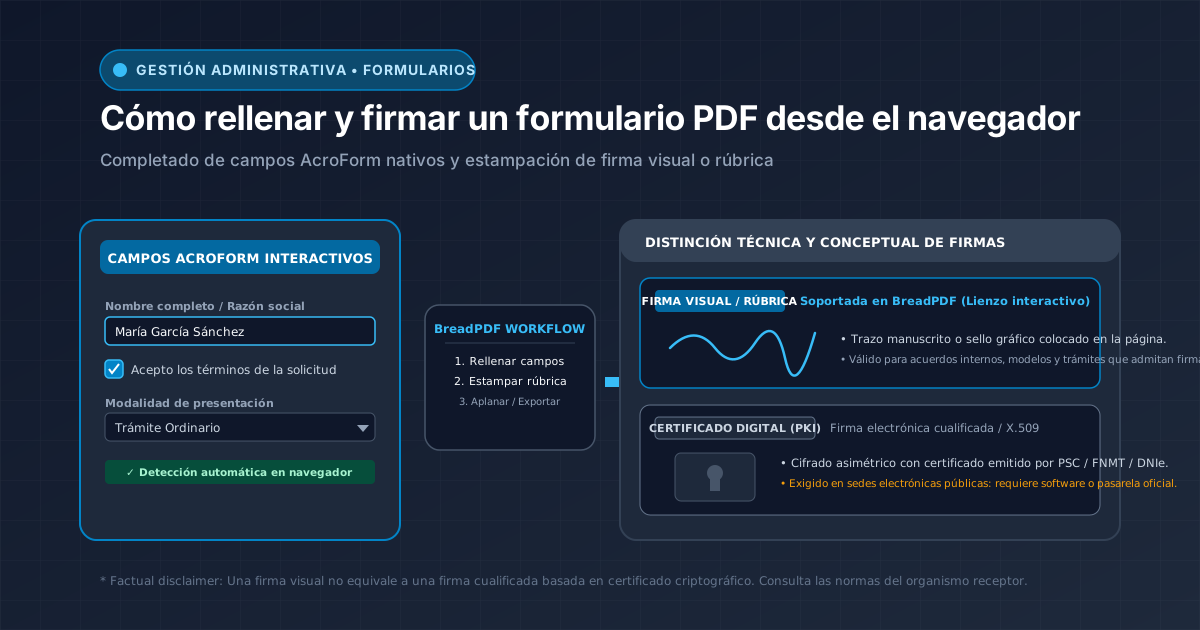

Forms filled and stamped directly in your local browser
Fill text fields, affix your clean drawn signature, and flatten the document to protect answers without printing on paper or rescanning.
How to Tell If Your PDF Form Is Truly Interactive
At first glance, many documents display border boxes or dotted lines, yet not all contain interactive fields:
Form controls are digitally programmed: clicking the box triggers an active cursor or selection checkmark.
A static flat bitmap image. It holds no native inputs; adding text requires superimposing free-floating text boxes with a PDF editor.
Step-by-Step Filling and Signing Workflow
Fill In Interactive Form Fields
Input your information across enabled controls: single-line text, checkboxes, or dropdown selectors.
Sign PDF with BreadPDF
Draw your visual signature directly on the canvas or upload an ink image of your handwritten mark to affix to the document.
Flatten PDF to Seal Entries Permanently
The 'Flatten PDF' utility merges active form data and visual stamps directly into the permanent page canvas, preventing casual modifications.